Change Password
Change Password
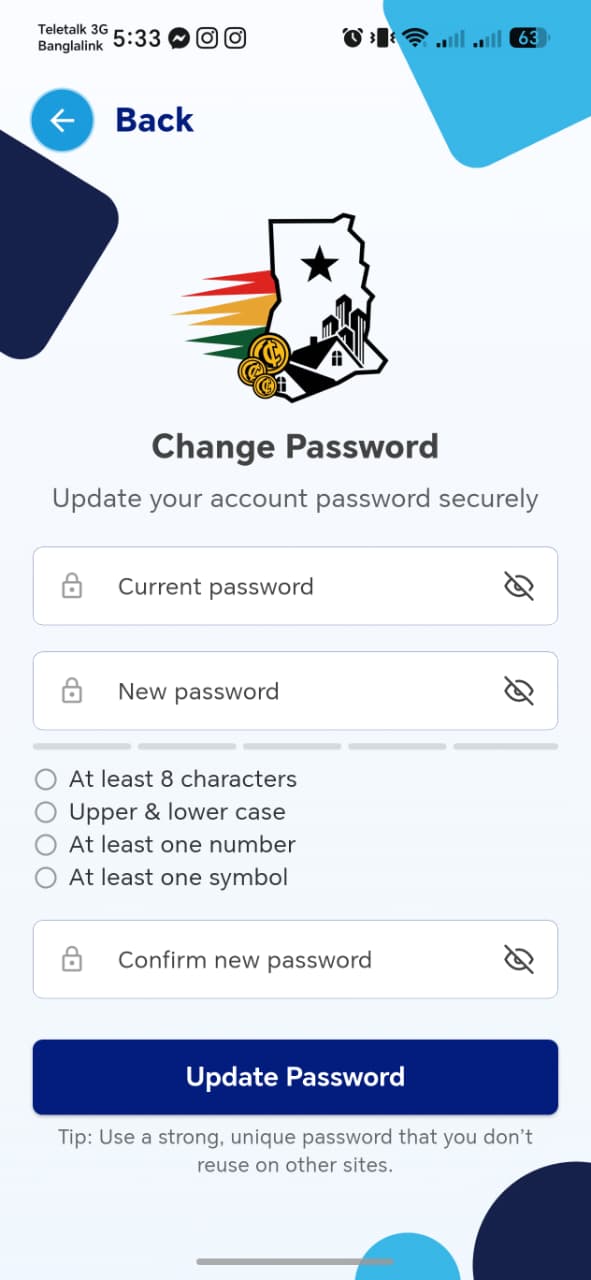
| Field | Required | Notes |
|---|---|---|
| Current password | Yes | Show/hide toggle |
| New password | Yes | Show/hide toggle, strength meter with 4 rules: at least 8 characters, upper & lower case, at least one number, at least one symbol |
| Confirm new password | Yes | Must match New password |
Update Password button, with a tip reminding users not to reuse passwords across sites.
Things to check
- An incorrect Current password is rejected with a clear error, not a generic failure
- New password is validated against all 4 rules before Update Password is enabled
- After a successful change, confirm whether the user is signed out (forcing re-login with the new password) or stays signed in — and that either way, the old password no longer works